Documentation · Workspaces
Workspace profiles, models, and effort
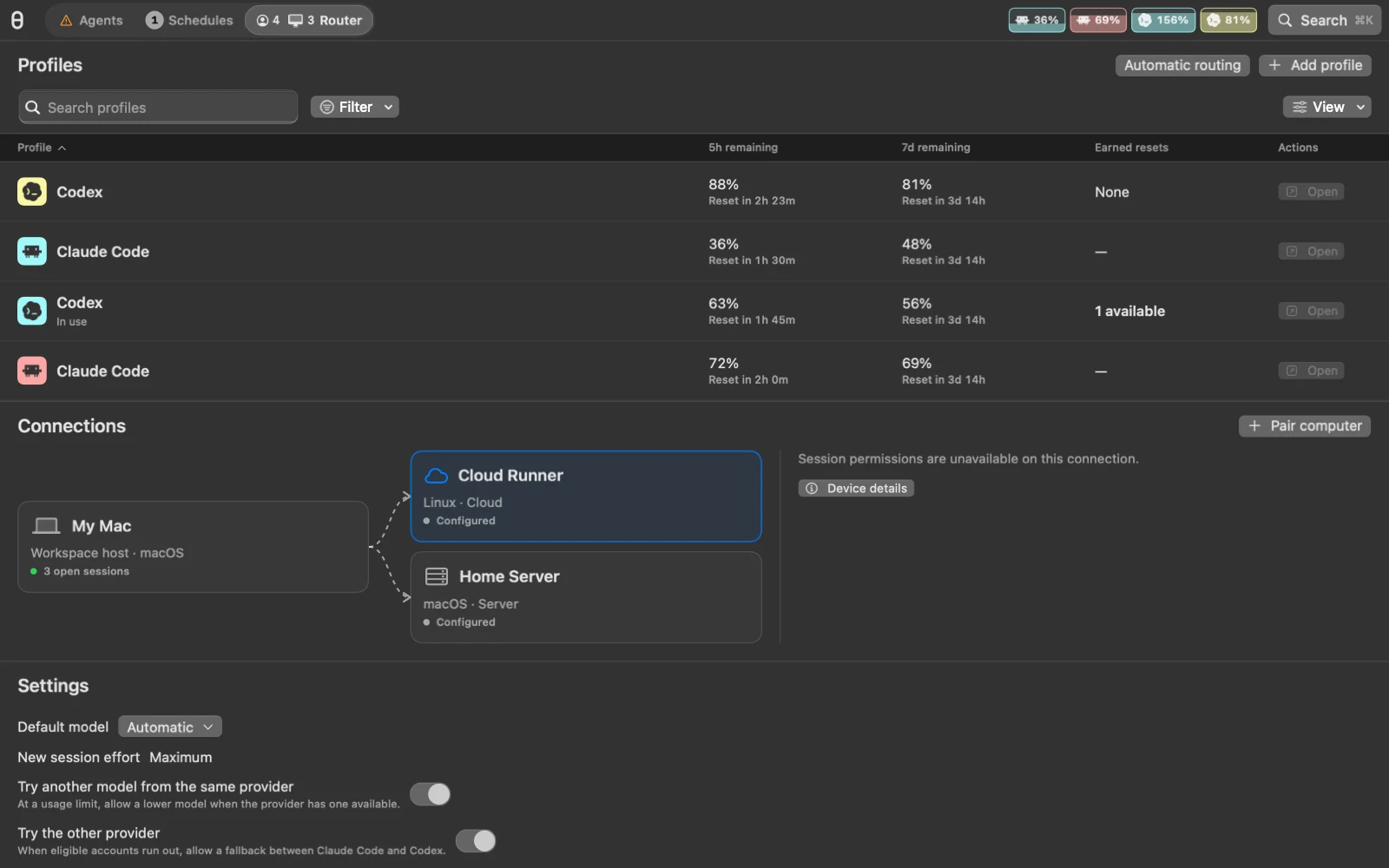
See your signed-in accounts, available models and launch preference in Router. OH selects eligible accounts according to your routing policy.
Model preferences
Router shows frontier and standard models, with the recommended choice and available capacity. Choose Automatic or select a model for new sessions in this workspace.
| Order | Tier | Model ID | Provider | Class | Default policy |
|---|---|---|---|---|---|
1 | Fable | claude-fable-5-2 | Claude | frontier | Max |
2 | Astra | gpt-6.2-astra | Codex | frontier | Max |
3 | Opus | claude-opus-5-5 | Claude | standard | Max |
4 | Sol | gpt-6.2-sol | Codex | standard | Max |
Automatic uses the eligible accounts and current Router policy. Selecting a model changes the starting choice in the new-session form.
Maximum reasoning effort
OH Router 0.1.1 and later enables max_effort_only by default. The composer shows Max, and the Router applies it to launches, existing Board tasks and provider handoffs.
To allow per-session choices on the connected host, run oh-router policy set --max-effort-only false. The composer’s effort control then offers Low, Medium, High and Max. Restore the maximum-only policy with oh-router policy set --max-effort-only true.
- Claude (
OpusandFable): passes--effort <low|medium|high|max>. - Codex (
SolandAstra): passes-c model_reasoning_effort="<low|medium|high|max>". - Run
oh-router switch <id> --tier fable --effort maxto continue with another tier or profile. The new session receives a local handoff with recent turns and terminal output. An identified Claude session can also supply its full transcript. Read the new session ID from the command output.
Profile sign-in and model choice
Router lists accounts together with their usage, reset times and assigned Chrome profiles. Choose View to show email, or Filter to select a provider.
Open a profile’s sign-in instructions to see its provider command. When multiple credential folders exist, select the folder used by the session and run the command on that device. Refresh the profile afterward.
In Router → Settings, choose the model to preselect in New Session. The same chooser includes Sonnet, Terra and Luna. Activity combines the devices you can read and shows submitted prompt excerpts, session starts and closes. Select an event for its details.
You can choose a different model when creating a session. Router still checks eligible accounts, capacity and your fallback settings.
$ oh-router profiles list --json
$ oh-router profiles add --provider claude --id work --label "Work"
$ oh-router policy set --interactive-provider claude --headless-provider codex --pin reader=opus