Documentation · Multi-machine
Multi-machine Cloudflare Tunnel setup
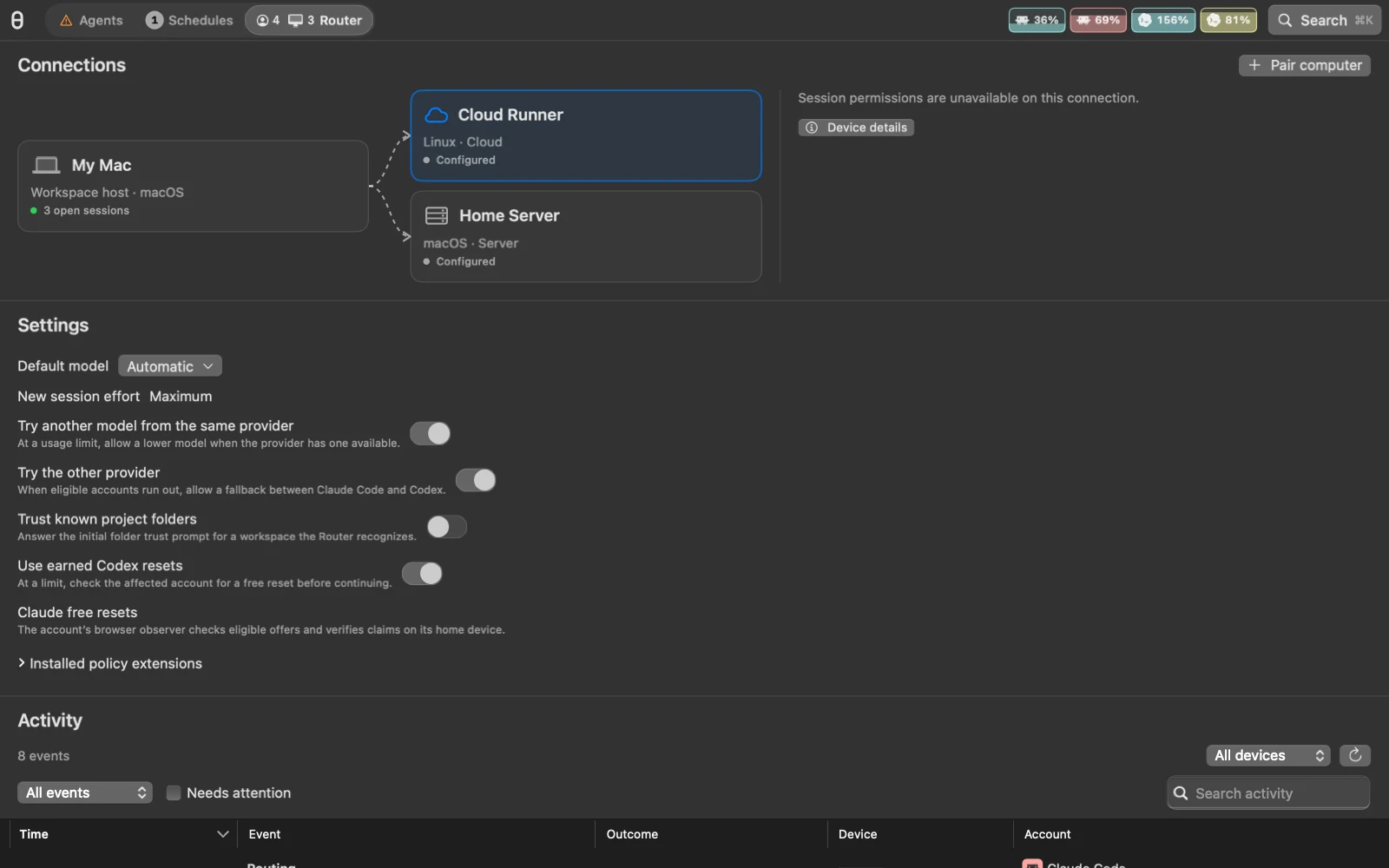
The connection map in Router (Cmd+4) lets Oh.app on your Mac inspect and steer sessions running on Linux workstations or headless Mac servers over Cloudflare Tunnel.
Copy the multi-machine agent setup recipe
Give this setup brief to an OH agent, or press Cmd+4, select This Mac → Connection setup → Tunnel and SSH setup, and choose Start setup agent. The brief covers the scoped HTTPS bridge and OpenSSH ProxyCommand access.
Start an agent on another computer
Install OH Router, the provider CLI and cloudflared on the destination and sign in there. On Windows, use Linux builds inside the same running WSL2 distribution. The Router device guide covers service installation, Linux paths and keeping WSL online after sign-in.
After pairing, open New Session and choose the computer under Start on. The working folder is on that computer. To share the device’s detailed activity, allow Read device activity in Connections on both computers.
Quick Tunnel and permanent Named Tunnel
ohd binds its optional HTTP RPC listener strictly to loopback (127.0.0.1:7842) and writes a random 256-bit stream_steer token to ~/.local/state/oh/ohd/bridge.token (mode 0600). cloudflared forwards HTTPS traffic to that loopback port.
Option A: start an instant trycloudflare.com Quick Tunnel with no Cloudflare DNS setup. Passing --publish announces only the public HTTPS URL (never the bearer token) to #fleet.
$ oh-router devices tunnel-start --quick --publishOption B: create a permanent Named Tunnel in your Cloudflare account and route a DNS hostname to it.
$ cloudflared tunnel login
$ cloudflared tunnel create build-box
$ cloudflared tunnel route dns build-box build-ohd.example.com
$ oh-router devices tunnel-start --tunnel build-box --hostname build-ohd.example.com
Register the remote machine on your Mac or launch Oh.app pointed at its HTTPS bridge:
$ oh-router devices add-remote --name build-box --platform linux --tunnel-url https://build-ohd.example.com --bearer-token "$OH_BRIDGE_TOKEN"Bearer tokens are accepted only in the HTTP Authorization: Bearer <token> header. Both Oh.app and ohd reject URLs that place tokens in a query string, and stream_steer scope never permits raw shell creation or profile auth changes.
Managed OpenSSH ProxyCommand block
oh-router devices ssh-config generates an idempotent # oh-cloudflare-ssh:start / # oh-cloudflare-ssh:end block for ~/.ssh/config so ssh build-box tunnels cleanly through cloudflared access ssh:
$ oh-router devices ssh-config --host build-box --hostname build-ssh.example.com --user developer --write