02 / Answer
Answer
The Router reads each terminal as the screen you would see. Input goes in only at an empty prompt. Everything else waits for you.
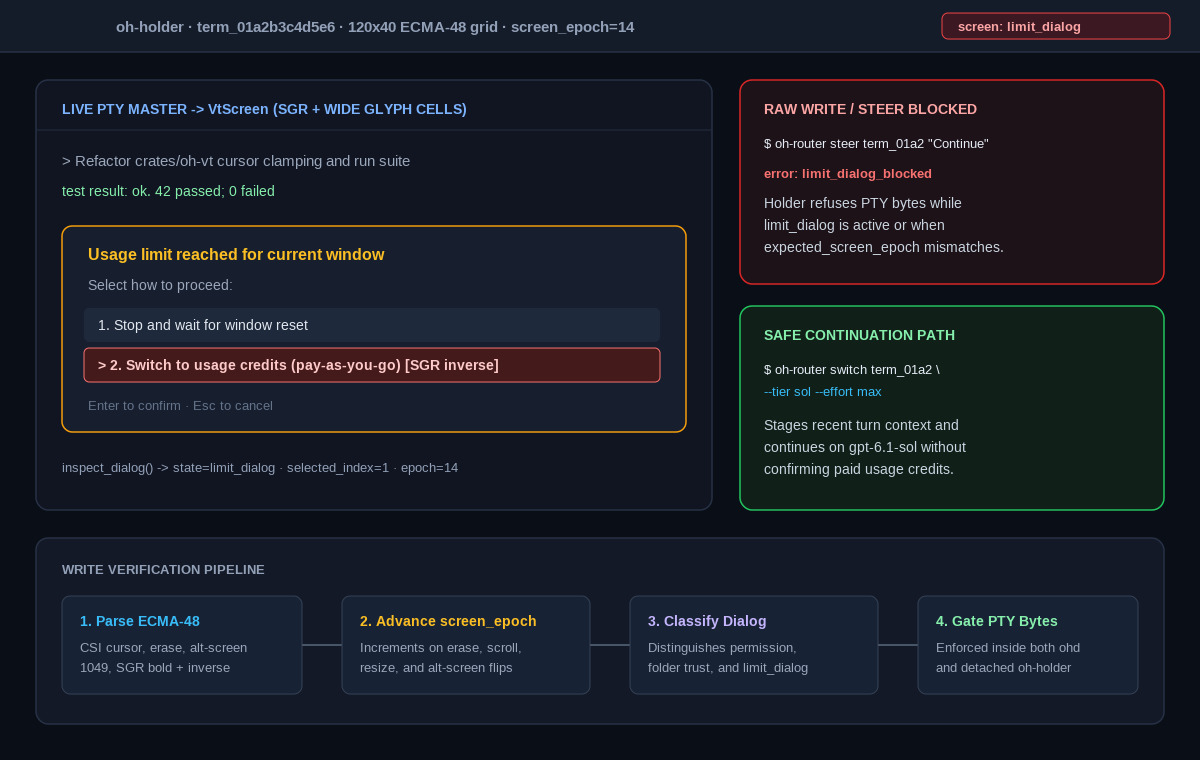
Screen states
oh-router inspect ID returns the session’s state, its recent turns and the visible screen. screen_state is one of these:
screen_state | On screen | What input does |
|---|---|---|
empty_input_box | An idle prompt | Goes in |
permission_prompt | A tool asking to run | Waits for action ID approve or deny |
folder_trust_dialog | First launch in a folder | Waits for action ID trust_folder |
limit_dialog | A usage limit offering credits, overage or an upgrade | Refused (limit_dialog_blocked). Nothing the Router sends can accept a charge |
client_reset_wait | A countdown to the usage reset | Waits |
reset_ready_prompt | The reset arrived; the CLI asks to resume | Waits |
unrecognized | Anything else | Waits |
Each write carries the screen generation it was checked against. If a dialog appears between the check and the write, the holder rejects it (screen_epoch_changed) before a byte reaches the terminal. Secrets on screen are masked before they leave the holder.
Steer
--mode | Behaviour |
|---|---|
auto (default) | Sends at an idle prompt, otherwise queues |
now | Sends at an idle prompt, otherwise fails with the reason |
queue | Always queues |
interrupt | Sends Ctrl+C, then the prompt once the screen allows |
$ oh-router steer term_01a2b3c4d5e6 "Run the linter and fix what it finds"
$ oh-router steer term_01a2b3c4d5e6 --mode interrupt "Stop. Revert the last change"
The prompt queue
Each session keeps its own queue. The Router delivers the next prompt when the session is back at an empty prompt.
$ oh-router queue add term_01a2b3c4d5e6 "Then update the changelog"
$ oh-router queue list term_01a2b3c4d5e6
$ oh-router queue move term_01a2b3c4d5e6 PROMPT_ID 0
$ oh-router queue flush term_01a2b3c4d5e6
remove drops one prompt and clear empties the queue.
Dialogs and stopping
oh-router action ID takes approve, deny, trust_folder, ctrl_c or stop. An action applies to the dialog that is on screen when you send it; if that dialog has changed, the action is refused. stop ends the session; its conversation stays readable.
Continue a stopped turn
When a Codex turn stops at a usage limit, the session is marked. oh-router continue ID asks it to carry on in the same terminal, once, and only while the screen shows an empty prompt nobody has typed into. The Router also does this by itself when the account has room again. To move a limited session to another account instead, see Route.
Turns and usage
inspect lists recent turns. oh-router session-usage ID --started-at SECONDS adds up the tokens a conversation used, across every account it ran on.